Buy discounter-online.com ?
We are moving the project
discounter-online.com .
Are you interested in purchasing the domain
discounter-online.com ?
domain@kv-gmbh.de · 0541-91531010
Buy discounter-online.com ?
How can one consolidate prayers?
One can consolidate prayers by combining two or more prayers at the same time. For example, if one has missed the Dhuhr (noon) prayer and the Asr (afternoon) prayer, they can perform them together during the time of the later prayer. This can be done in situations where one is traveling, sick, or unable to pray at the prescribed times. It is important to consult with a knowledgeable religious authority to ensure that one is following the proper guidelines for consolidating prayers. **
Does economic growth consolidate the state budget?
Economic growth can potentially help consolidate the state budget by increasing tax revenues and reducing the need for government spending on social welfare programs. As the economy expands, more people are employed and earning income, leading to higher tax collections for the government. Additionally, a growing economy can lead to increased business activity and profits, further contributing to government revenue. However, economic growth alone may not be sufficient to consolidate the state budget if government spending is not managed effectively. It is important for policymakers to make prudent fiscal decisions and prioritize spending in order to ensure that economic growth positively impacts the state budget. **

Similar search terms for Consolidate
Top-Angebote
Products related to Consolidate:
-
E'lifexir Essential Cinnamon Skin Savings PackageNutrition and Supplements Special supplements E'lifexir Essential Cinnamon Skin Savings Package Nutricosmetic sunscreen to protect skin and eyes. Nutritional complement that prepares the skin for exposure to the sun, promotes a more intense and long-lasting tan and strengthens the skin's defences. Provides antioxidant properties and protects the skin from UV radiation. Results: - Uniform and luminous tan - Eye protection - More elastic and protected skin How to use: Take one capsule a day.33,31 £*Shipping: 3,99 £Secure redirect to the provider
-
Scholastic Bargain Book Box Grades K-1 (100 Books)A box of books at the best price! Take advantage of inventory conditions that leave some of our books without a permanent home. The list of titles in this collection will change depending on availability. A super way to save money and send every...235,00 $*Shipping: 0,00 $Secure redirect to the provider




-
How can you consolidate multiple invoices in Excel?
To consolidate multiple invoices in Excel, you can use the Consolidate feature under the Data tab. First, ensure that each invoice is in a separate worksheet within the same Excel file. Then, select a blank worksheet where you want to consolidate the data. Go to the Data tab, click on Consolidate, choose the function you want to use (such as Sum or Average), select the range of cells from each invoice worksheet, and click OK. This will consolidate the data from multiple invoices into one worksheet. **
-
Can you still consolidate luggage after using the Piece concept?
Yes, you can still consolidate luggage after using the Piece concept. The Piece concept typically refers to airlines allowing a certain number of checked bags based on the number of pieces, rather than weight. After using the Piece concept to check in your bags, you can still consolidate your luggage by repacking items into fewer bags or redistributing items among your bags to meet any weight restrictions. However, it's important to check with the specific airline's policies and any additional fees for consolidating luggage after using the Piece concept. **
-
Can you please consolidate all application documents into one file?
Yes, I can help you consolidate all your application documents into one file. Please provide me with all the necessary documents, and I will merge them into a single file for your convenience. Let me know the preferred format for the consolidated file, such as PDF or Word, and I will ensure that all your application materials are organized and easily accessible in one document. **
-
How can you consolidate multiple table texts on one worksheet?
To consolidate multiple table texts on one worksheet, you can use the "Consolidate" feature in Microsoft Excel. First, ensure that all the tables you want to consolidate are on the same worksheet. Then, select a cell where you want the consolidated data to appear. Next, go to the "Data" tab, click on "Consolidate" and choose the function you want to use (such as sum, average, count, etc.). Then, select the range of cells from each table that you want to consolidate and click "OK". This will combine the data from multiple tables into one on the same worksheet. **


Is there a program to consolidate all online purchased movies?
Yes, there are several programs and platforms that allow users to consolidate all their online purchased movies into one library. For example, Movies Anywhere is a digital platform that allows users to link their accounts from various digital retailers such as Amazon Prime Video, Google Play, iTunes, and Vudu, and access all their purchased movies in one place. This makes it easier for users to access and watch their movies across different devices and platforms without having to switch between multiple accounts. **
How can Excel automatically consolidate items and quantities from different worksheets?
To automatically consolidate items and quantities from different worksheets in Excel, you can use the Consolidate feature. First, go to the worksheet where you want to consolidate the data. Then, go to the Data tab, click on the Consolidate option, and select the function you want to use (such as Sum or Count). Next, select the range of cells from the different worksheets that you want to consolidate, and click OK. Excel will then automatically consolidate the items and quantities based on the function you selected. **
Top-Angebote
Products related to Consolidate:
-
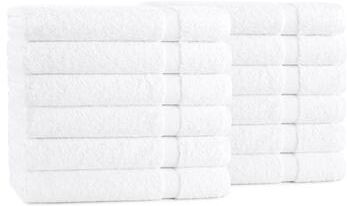
Arkwright Home Admiral Bath Towels - Economical White Cotton/Poly Blend - 12 PackOur foundational institutional towel collection, the Admiral, is a value line of bath towels, bath mats, and pool towels made with an 86/14 cotton/polyester blend yarn.119,99 $*Shipping: 0,00 $Secure redirect to the provider
-
E'lifexir Essential Cinnamon Skin Savings PackageNutrition and Supplements Special supplements E'lifexir Essential Cinnamon Skin Savings Package Nutricosmetic sunscreen to protect skin and eyes. Nutritional complement that prepares the skin for exposure to the sun, promotes a more intense and long-lasting tan and strengthens the skin's defences. Provides antioxidant properties and protects the skin from UV radiation. Results: - Uniform and luminous tan - Eye protection - More elastic and protected skin How to use: Take one capsule a day.33,31 £*Shipping: 3,99 £Secure redirect to the provider
-
How can one consolidate prayers?
One can consolidate prayers by combining two or more prayers at the same time. For example, if one has missed the Dhuhr (noon) prayer and the Asr (afternoon) prayer, they can perform them together during the time of the later prayer. This can be done in situations where one is traveling, sick, or unable to pray at the prescribed times. It is important to consult with a knowledgeable religious authority to ensure that one is following the proper guidelines for consolidating prayers. **
-
Does economic growth consolidate the state budget?
Economic growth can potentially help consolidate the state budget by increasing tax revenues and reducing the need for government spending on social welfare programs. As the economy expands, more people are employed and earning income, leading to higher tax collections for the government. Additionally, a growing economy can lead to increased business activity and profits, further contributing to government revenue. However, economic growth alone may not be sufficient to consolidate the state budget if government spending is not managed effectively. It is important for policymakers to make prudent fiscal decisions and prioritize spending in order to ensure that economic growth positively impacts the state budget. **
-
How can you consolidate multiple invoices in Excel?
To consolidate multiple invoices in Excel, you can use the Consolidate feature under the Data tab. First, ensure that each invoice is in a separate worksheet within the same Excel file. Then, select a blank worksheet where you want to consolidate the data. Go to the Data tab, click on Consolidate, choose the function you want to use (such as Sum or Average), select the range of cells from each invoice worksheet, and click OK. This will consolidate the data from multiple invoices into one worksheet. **
-
Can you still consolidate luggage after using the Piece concept?
Yes, you can still consolidate luggage after using the Piece concept. The Piece concept typically refers to airlines allowing a certain number of checked bags based on the number of pieces, rather than weight. After using the Piece concept to check in your bags, you can still consolidate your luggage by repacking items into fewer bags or redistributing items among your bags to meet any weight restrictions. However, it's important to check with the specific airline's policies and any additional fees for consolidating luggage after using the Piece concept. **
Similar search terms for Consolidate
-
Scholastic Bargain Book Box Grades K-1 (100 Books)A box of books at the best price! Take advantage of inventory conditions that leave some of our books without a permanent home. The list of titles in this collection will change depending on availability. A super way to save money and send every...235,00 $*Shipping: 0,00 $Secure redirect to the provider
-
The Rose Bargain Series 2 Books Collection Set by Sasha Peyton Smith - FictionTitles in This Set:. The Rose Bargain. The Thorn Queen[Hardcover]. Condition:BRAND NEW. Format:Mixedlot. ISBN:9789124022310. Overview:. The Rose Bargain Series brings two immersive romantasy novels from Sasha Peyton Smith into one irresistible collection. The Rose Bargain (Book 1) ladles readers into a London of velvet balls, dangerous bargains, and fae-driven intrigue. Set in 1848, England is ruled by an immortal fae queen who grants one chance to bargain for a deepest desire. Ivy Benton signs her name in blood to enter a competition for Prince Bram’s hand, navigating society’s expectations, rivalries, and a dangerous attraction to Bram’s enigmatic brother, Emmett. The blend of lush, historically tinged detail with magical politics and razor-sharp romance creates a page-turning experience for fans of romantasy and YA fantasy. The Thorn Queen (Book 2) continues the journey, widening the world and heightening the danger while preserving the distinctive voice that defined the first title. Together, this two-book collection offers a complete reading arc in one premium package—perfect for readers who crave sweeping romance, clever world-building, and a touch of enchantment in their fiction.. What Makes This Collection Special:. This two-book set is built for readers who want a full romantasy journey without juggling multiple volumes. Both titles share a lyrical, period-rooted atmosphere and a London-bright backdrop where courtly intrigue meets magical bargains. The Rose Bargain introduces a heroically witty heroine navigating debut season and dangerous love triangles; The Thorn Queen deepens the magic, politics, and emotional stakes, delivering a satisfying arc in a single, collectible package. For gift buyers and collectors, the matched design and cohesive tone provide instant shelf appeal and a ready-made reading stack for weekend binge sessions. Sasha Peyton Smith’s distinctive voice, backed by her status as a New York Times bestselling author, anchors an escapist fantasy with emotional honesty, making this set feel premium, complete, and highly desirable.. Books Included in This Collection:. The Rose Bargain. The Rose Bargain sweeps readers into a glittering, perilous London of 1848 where ambition and desire collide. Ivy Benton is poised for debut season, a heroine whose wit and resolve drive her through a web of social pressure, rivalries, and risk-taking romance. The tale pivots around a perilous bargain at the heart of the fae-ruled court, weaving political tension with intimate moments that sting and then soothe. Smith’s voice blends lush historical texture with modern sensitivity, delivering a romance that feels both relatable and fantastical, with vivid characters and an atmosphere that lingers long after the final page.. The Thorn Queen. The Thorn Queen is the companion title in this two-book collection, continuing the romantasy journey with the same lush setting and heightened stakes. Details of the plot aren’t listed here, but readers...18,99 £*Shipping: 2,99 £Secure redirect to the provider
-
Bargain Houses Calder Heavy Duty Clear Plastic Carpet Protector Rectangle 68 x 762cmIdeal for year-round domestic or commercial use, ideal for the protection of high traffic areas of carpet, also suitable for lining car boots. Made from 100% vinyl this mat is waterproof, rot-proof and easy to clean. Brand Name: Bargain Houses. Mat Size: Rectangle 68 x 762cm44,99 £*Shipping: 4,99 £Secure redirect to the provider
-
Can you please consolidate all application documents into one file?
Yes, I can help you consolidate all your application documents into one file. Please provide me with all the necessary documents, and I will merge them into a single file for your convenience. Let me know the preferred format for the consolidated file, such as PDF or Word, and I will ensure that all your application materials are organized and easily accessible in one document. **
-
How can you consolidate multiple table texts on one worksheet?
To consolidate multiple table texts on one worksheet, you can use the "Consolidate" feature in Microsoft Excel. First, ensure that all the tables you want to consolidate are on the same worksheet. Then, select a cell where you want the consolidated data to appear. Next, go to the "Data" tab, click on "Consolidate" and choose the function you want to use (such as sum, average, count, etc.). Then, select the range of cells from each table that you want to consolidate and click "OK". This will combine the data from multiple tables into one on the same worksheet. **
-
Is there a program to consolidate all online purchased movies?
Yes, there are several programs and platforms that allow users to consolidate all their online purchased movies into one library. For example, Movies Anywhere is a digital platform that allows users to link their accounts from various digital retailers such as Amazon Prime Video, Google Play, iTunes, and Vudu, and access all their purchased movies in one place. This makes it easier for users to access and watch their movies across different devices and platforms without having to switch between multiple accounts. **
-
How can Excel automatically consolidate items and quantities from different worksheets?
To automatically consolidate items and quantities from different worksheets in Excel, you can use the Consolidate feature. First, go to the worksheet where you want to consolidate the data. Then, go to the Data tab, click on the Consolidate option, and select the function you want to use (such as Sum or Count). Next, select the range of cells from the different worksheets that you want to consolidate, and click OK. Excel will then automatically consolidate the items and quantities based on the function you selected. **
* All prices are inclusive of VAT and, if applicable, plus shipping costs. The offer information is based on the details provided by the respective shop and is updated through automated processes. Real-time updates do not occur, so deviations can occur in individual cases. ** Note: Parts of this content were created by AI.