Buy discounter-online.com ?
We are moving the project
discounter-online.com .
Are you interested in purchasing the domain
discounter-online.com ?
domain@kv-gmbh.de · 0541-91531010
Buy discounter-online.com ?
How do I link a mailto link with Web.de?
To create a mailto link that opens Web.de, you can use the following HTML code: <a href="mailto:recipient@example.com?subject=Subject&body=Body">Send Email</a> Replace "recipient@example.com" with the email address you want to send the email to. You can also customize the subject and body of the email by adding them after the email address in the link. When the user clicks on the link, it will open their default email client with a new email addressed to the specified recipient on Web.de. **
How do I write a mailto link in bold?
To write a mailto link in bold, you can use the <strong> tag within the anchor tag. For example, you can write <a href="mailto:email@example.com"><strong>Email me</strong></a>. This will make the text "Email me" appear in bold, and when clicked, it will open the default email client with the recipient's email address pre-filled. **

Similar search terms for Mailto
Top-Angebote
Products related to Mailto:
-
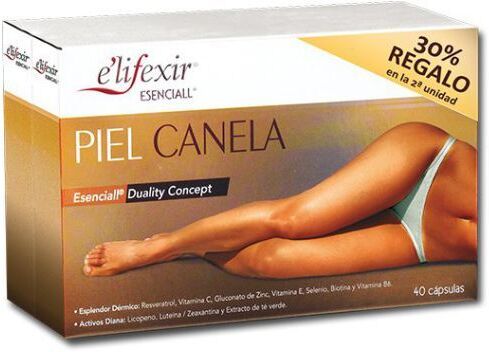
E'lifexir Essential Cinnamon Skin Savings PackageNutrition and Supplements Special supplements E'lifexir Essential Cinnamon Skin Savings Package Nutricosmetic sunscreen to protect skin and eyes. Nutritional complement that prepares the skin for exposure to the sun, promotes a more intense and long-lasting tan and strengthens the skin's defences. Provides antioxidant properties and protects the skin from UV radiation. Results: - Uniform and luminous tan - Eye protection - More elastic and protected skin How to use: Take one capsule a day.33,32 £*Shipping: 3,99 £Secure redirect to the provider
-
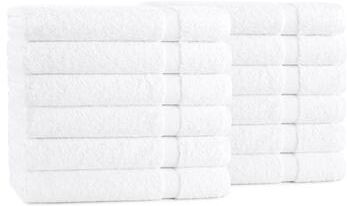
Arkwright Home Admiral Bath Towels - Economical White Cotton/Poly Blend - 12 PackOur foundational institutional towel collection, the Admiral, is a value line of bath towels, bath mats, and pool towels made with an 86/14 cotton/polyester blend yarn.119,99 $*Shipping: 0,00 $Secure redirect to the provider
-
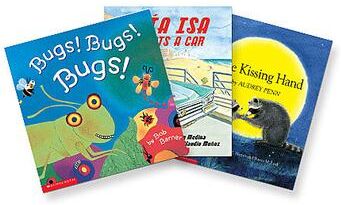
Scholastic Bargain Book Box Grades K-1 (100 Books)A box of books at the best price! Take advantage of inventory conditions that leave some of our books without a permanent home. The list of titles in this collection will change depending on availability. A super way to save money and send every...235,00 $*Shipping: 0,00 $Secure redirect to the provider

-
What is the difference between an email address and mailto?
An email address is a unique identifier for an individual or organization that allows them to send and receive electronic messages. It typically consists of a username, the "@" symbol, and the domain name of the email service provider. On the other hand, "mailto" is a hyperlink that, when clicked, opens the user's default email client and populates the "To" field with the specified email address. In other words, an email address is the destination for an electronic message, while "mailto" is a method for creating a link that opens the user's email client with the specified address pre-filled. **
-
What is the text that appears after clicking on a mailto link on a website?
After clicking on a mailto link on a website, a new email message window will typically open with the email address pre-filled in the "To" field. This allows the user to easily compose and send an email to the specified address. The user can then fill in the subject line and the body of the email before sending it. **
-
How can I use mailto links in Gmail and choose the sender from multiple Gmail accounts?
To use mailto links in Gmail and choose the sender from multiple Gmail accounts, you can set up email aliases for each of your Gmail accounts. Then, when creating a mailto link, you can specify the email alias as the sender in the link's parameters. For example, the mailto link would look like this: mailto:recipient@example.com?from=alias@example.com. When the recipient clicks on the link, it will open a new email in their default email client with the specified sender. This allows you to easily choose the sender from multiple Gmail accounts when using mailto links. **
-
How do I create an Outlook mailto link to reply to an email in the same window?
To create an Outlook mailto link to reply to an email in the same window, you can use the following format: <a href="mailto:recipient@example.com?subject=Reply&body=Your message here">Reply</a>. Replace "recipient@example.com" with the email address you want to reply to, and customize the subject and body of the email as needed. When the link is clicked, it will open the default email client with a new email draft replying to the specified recipient. **


How can one create a click button for an email mailto in selfhtml, where line breaks in the body field are considered?
To create a click button for an email mailto in selfhtml with line breaks in the body field considered, you can use the following HTML code: ```html <a href="mailto:recipient@example.com?subject=Subject&body=First line%0ASecond line%0AThird line">Send Email</a> ``` In this code, replace "recipient@example.com" with the recipient's email address, "Subject" with the desired email subject, and "First line%0ASecond line%0AThird line" with the body of the email, where "%0A" represents a line break. When the user clicks on the "Send Email" link, it will open their default email client with the specified recipient, subject, and body with line breaks. **
Do you notice any savings from the fuel discount?
Yes, I notice significant savings from the fuel discount. By using the discount, I am able to save money on each gallon of fuel I purchase, which adds up to substantial savings over time. This allows me to allocate the saved money towards other expenses or savings goals. Overall, the fuel discount has been a valuable way for me to reduce my fuel expenses and keep more money in my pocket. **
Top-Angebote
Products related to Mailto:
-
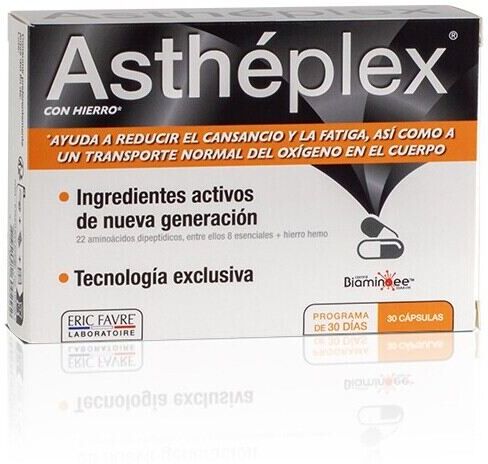
E'lifexir Essential Cinnamon Skin Savings PackageNutrition and Supplements Special supplements E'lifexir Essential Cinnamon Skin Savings Package Nutricosmetic sunscreen to protect skin and eyes. Nutritional complement that prepares the skin for exposure to the sun, promotes a more intense and long-lasting tan and strengthens the skin's defences. Provides antioxidant properties and protects the skin from UV radiation. Results: - Uniform and luminous tan - Eye protection - More elastic and protected skin How to use: Take one capsule a day.33,32 £*Shipping: 3,99 £Secure redirect to the provider
-
Arkwright Home Admiral Bath Towels - Economical White Cotton/Poly Blend - 12 PackOur foundational institutional towel collection, the Admiral, is a value line of bath towels, bath mats, and pool towels made with an 86/14 cotton/polyester blend yarn.119,99 $*Shipping: 0,00 $Secure redirect to the provider
-
How do I link a mailto link with Web.de?
To create a mailto link that opens Web.de, you can use the following HTML code: <a href="mailto:recipient@example.com?subject=Subject&body=Body">Send Email</a> Replace "recipient@example.com" with the email address you want to send the email to. You can also customize the subject and body of the email by adding them after the email address in the link. When the user clicks on the link, it will open their default email client with a new email addressed to the specified recipient on Web.de. **
-
How do I write a mailto link in bold?
To write a mailto link in bold, you can use the <strong> tag within the anchor tag. For example, you can write <a href="mailto:email@example.com"><strong>Email me</strong></a>. This will make the text "Email me" appear in bold, and when clicked, it will open the default email client with the recipient's email address pre-filled. **
-
What is the difference between an email address and mailto?
An email address is a unique identifier for an individual or organization that allows them to send and receive electronic messages. It typically consists of a username, the "@" symbol, and the domain name of the email service provider. On the other hand, "mailto" is a hyperlink that, when clicked, opens the user's default email client and populates the "To" field with the specified email address. In other words, an email address is the destination for an electronic message, while "mailto" is a method for creating a link that opens the user's email client with the specified address pre-filled. **
-
What is the text that appears after clicking on a mailto link on a website?
After clicking on a mailto link on a website, a new email message window will typically open with the email address pre-filled in the "To" field. This allows the user to easily compose and send an email to the specified address. The user can then fill in the subject line and the body of the email before sending it. **
Similar search terms for Mailto
-
Scholastic Bargain Book Box Grades K-1 (100 Books)A box of books at the best price! Take advantage of inventory conditions that leave some of our books without a permanent home. The list of titles in this collection will change depending on availability. A super way to save money and send every...235,00 $*Shipping: 0,00 $Secure redirect to the provider
-
Bargain Houses Calder Heavy Duty Clear Plastic Carpet Protector Rectangle 68 x 762cmIdeal for year-round domestic or commercial use, ideal for the protection of high traffic areas of carpet, also suitable for lining car boots. Made from 100% vinyl this mat is waterproof, rot-proof and easy to clean. Brand Name: Bargain Houses. Mat Size: Rectangle 68 x 762cm44,99 £*Shipping: 4,99 £Secure redirect to the provider
-
Bargain Houses Calder Heavy Duty Clear Plastic Carpet Protector Rectangle 68 x 914.4cmIdeal for year-round domestic or commercial use, ideal for the protection of high traffic areas of carpet, also suitable for lining car boots. Made from 100% vinyl this mat is waterproof, rot-proof and easy to clean. Brand Name: Bargain Houses. Mat Size: Rectangle 68 x 914.4cm51,99 £*Shipping: 4,99 £Secure redirect to the provider
-
How can I use mailto links in Gmail and choose the sender from multiple Gmail accounts?
To use mailto links in Gmail and choose the sender from multiple Gmail accounts, you can set up email aliases for each of your Gmail accounts. Then, when creating a mailto link, you can specify the email alias as the sender in the link's parameters. For example, the mailto link would look like this: mailto:recipient@example.com?from=alias@example.com. When the recipient clicks on the link, it will open a new email in their default email client with the specified sender. This allows you to easily choose the sender from multiple Gmail accounts when using mailto links. **
-
How do I create an Outlook mailto link to reply to an email in the same window?
To create an Outlook mailto link to reply to an email in the same window, you can use the following format: <a href="mailto:recipient@example.com?subject=Reply&body=Your message here">Reply</a>. Replace "recipient@example.com" with the email address you want to reply to, and customize the subject and body of the email as needed. When the link is clicked, it will open the default email client with a new email draft replying to the specified recipient. **
-
How can one create a click button for an email mailto in selfhtml, where line breaks in the body field are considered?
To create a click button for an email mailto in selfhtml with line breaks in the body field considered, you can use the following HTML code: ```html <a href="mailto:recipient@example.com?subject=Subject&body=First line%0ASecond line%0AThird line">Send Email</a> ``` In this code, replace "recipient@example.com" with the recipient's email address, "Subject" with the desired email subject, and "First line%0ASecond line%0AThird line" with the body of the email, where "%0A" represents a line break. When the user clicks on the "Send Email" link, it will open their default email client with the specified recipient, subject, and body with line breaks. **
-
Do you notice any savings from the fuel discount?
Yes, I notice significant savings from the fuel discount. By using the discount, I am able to save money on each gallon of fuel I purchase, which adds up to substantial savings over time. This allows me to allocate the saved money towards other expenses or savings goals. Overall, the fuel discount has been a valuable way for me to reduce my fuel expenses and keep more money in my pocket. **
* All prices are inclusive of VAT and, if applicable, plus shipping costs. The offer information is based on the details provided by the respective shop and is updated through automated processes. Real-time updates do not occur, so deviations can occur in individual cases. ** Note: Parts of this content were created by AI.